
Automatic focus tracking for Mac.
See where your attention actually went, down to the website and not just the app.$19 once · 100% on-device · no subscription
You ended today feeling busy.
But were you productive?
Screen Time says you used Safari for 4 hours. But was that deep research or doom-scrolling? Most people can't answer that question. Focus Meter can.
From guessing to knowing.
Before
After
“I worked all day but got nothing done”
“I can see exactly when I lost focus and why”
“Screen Time says 6 hours of Safari”
“3.5 hours on docs, 2.5 hours on news sites”
“I feel guilty but can’t quantify it”
“My focus score went from 62 to 78 this month”
“Paying $10/mo for a tracker that uploads my data”
“$19 once. My data stays on my Mac.”
How it works
Three steps. Zero effort.
Install from the Mac App Store
Download Focus Meter and it appears in your menu bar. No account, no setup wizard, no configuration.
It tracks automatically
Focus Meter detects which app and website you’re using in real time. Every tab switch, every app change — captured without you lifting a finger.
See your truth
Open the report anytime. See your focus score, app breakdown, and trends — by day, week, or month.
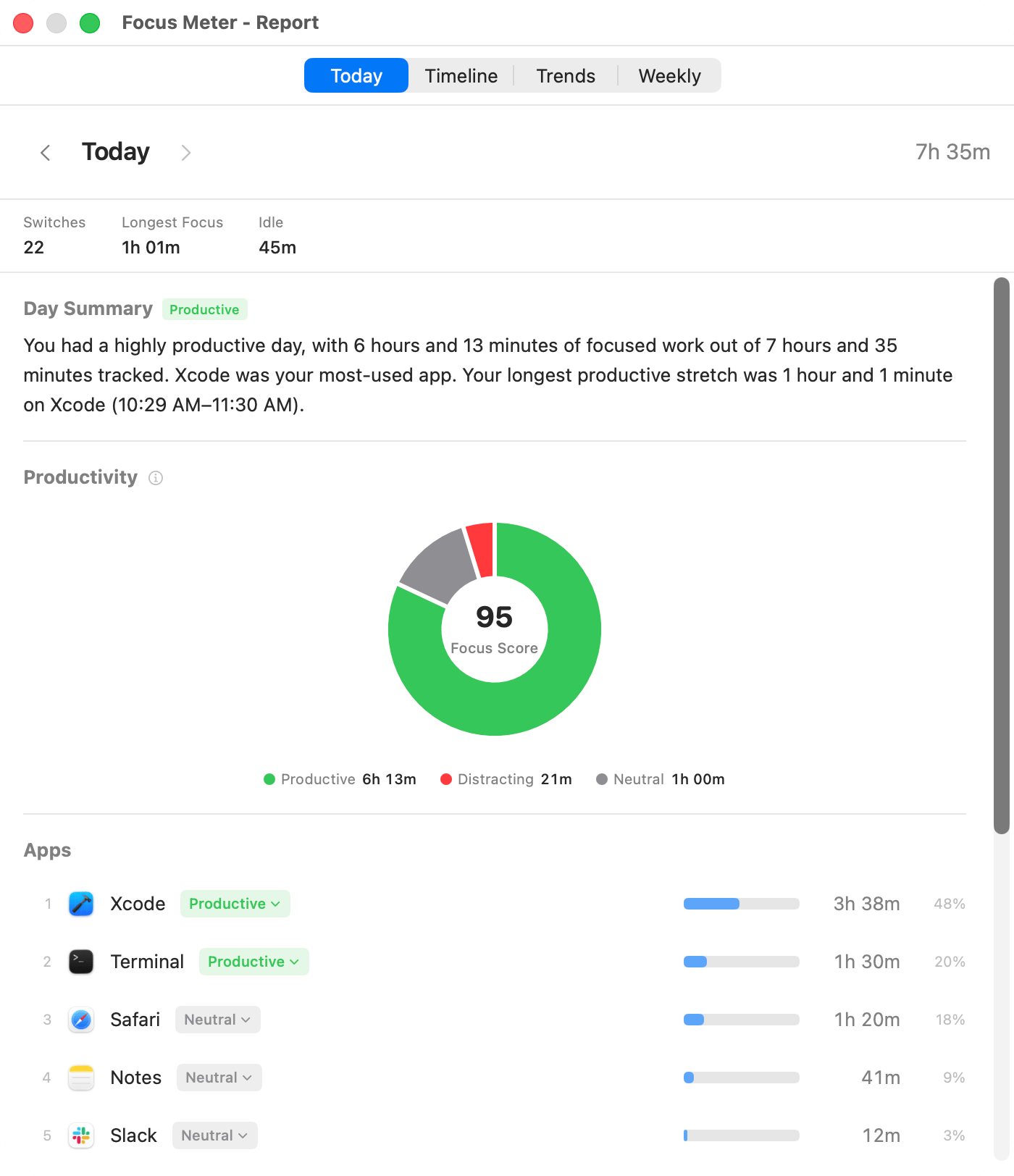
Reports
Your day, visualized.
Timelines, trends, and weekly digests. Every view you need to understand your focus patterns.
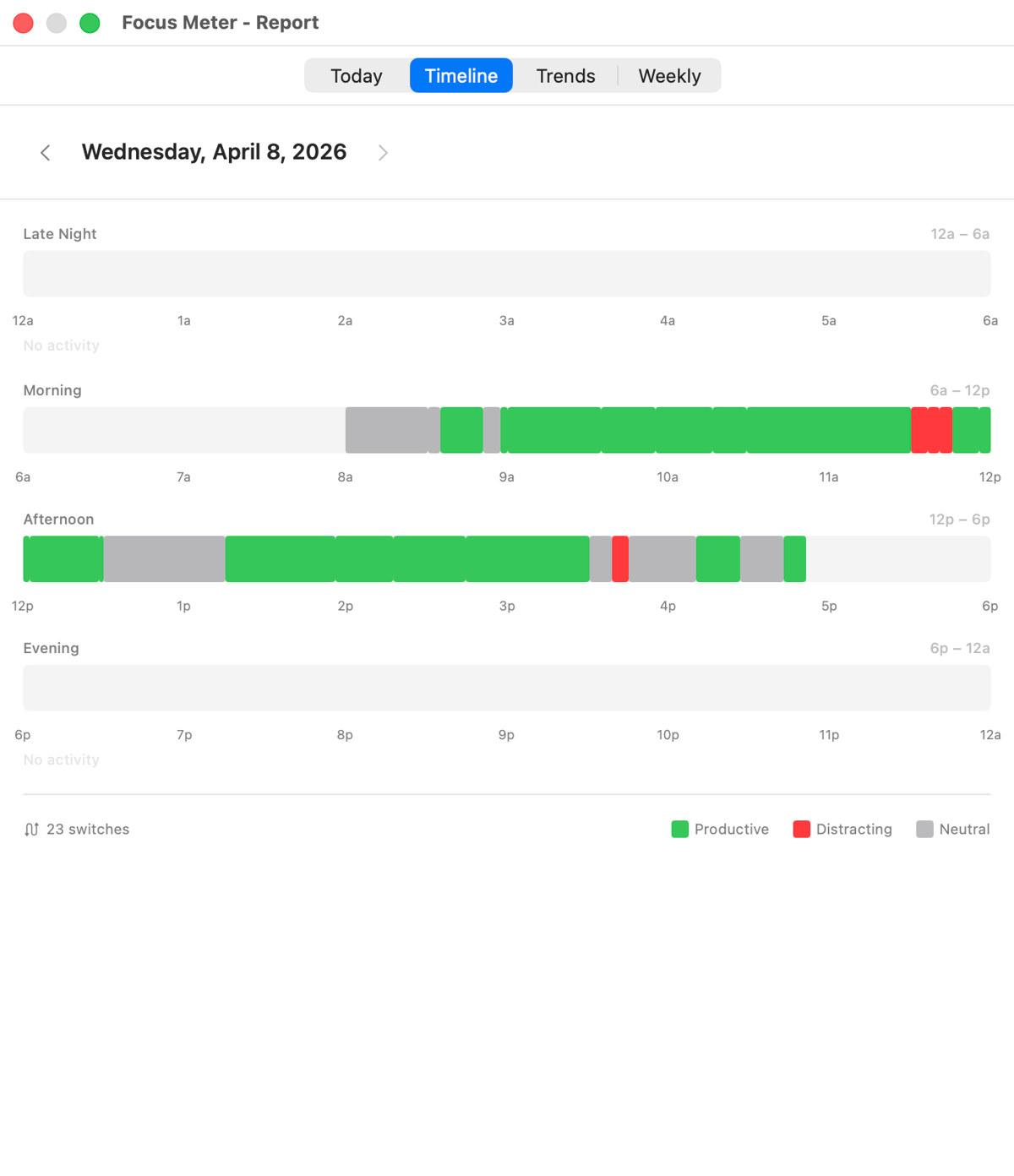
Timeline
See the play-by-play of your working day.
Your entire day mapped out in color. Green for deep work, red for distractions. Instantly see when you were locked in and when you were not.
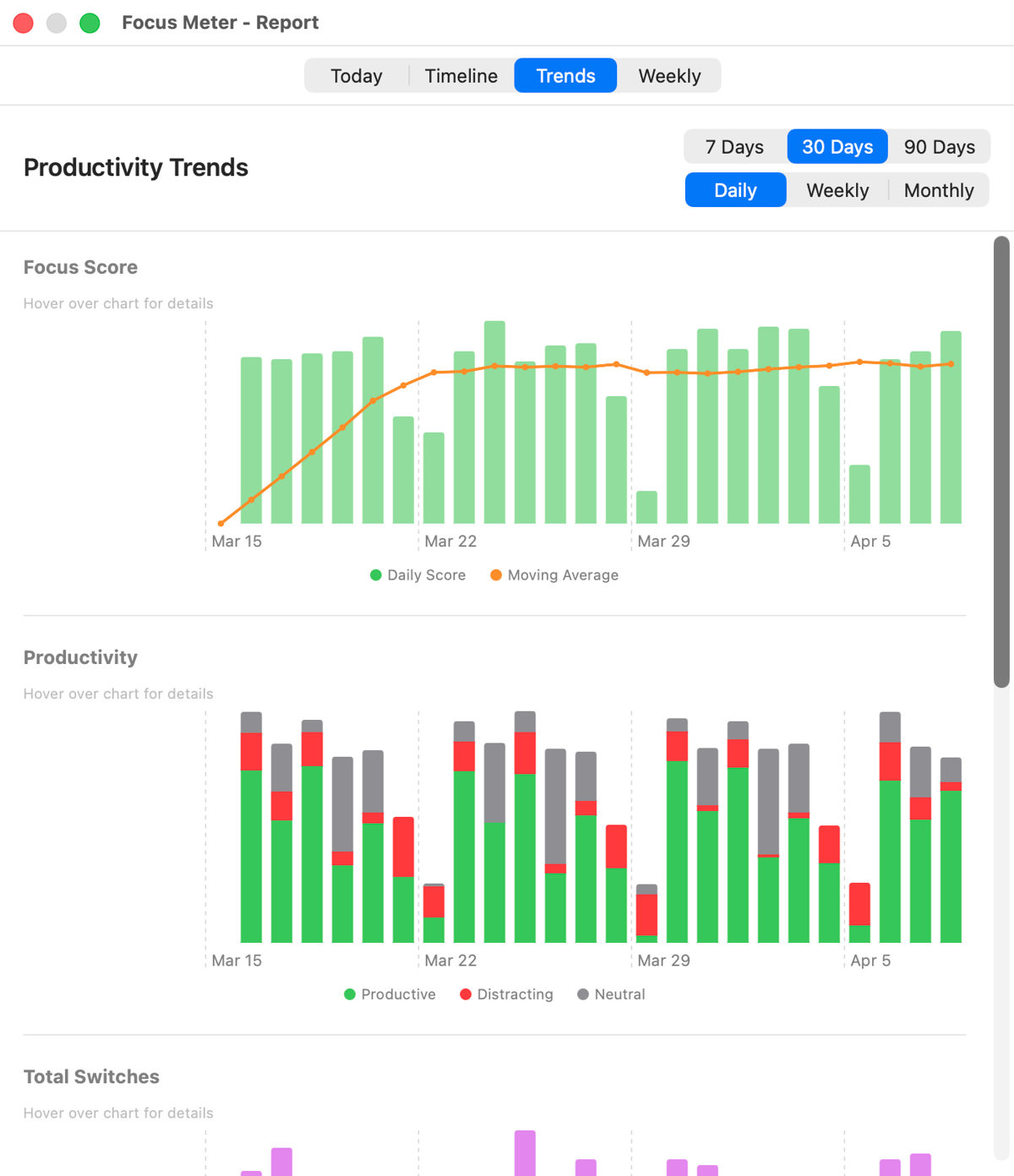
Trends
Track your focus over time.
Every data point reveals how you actually work. Use it to build better habits.
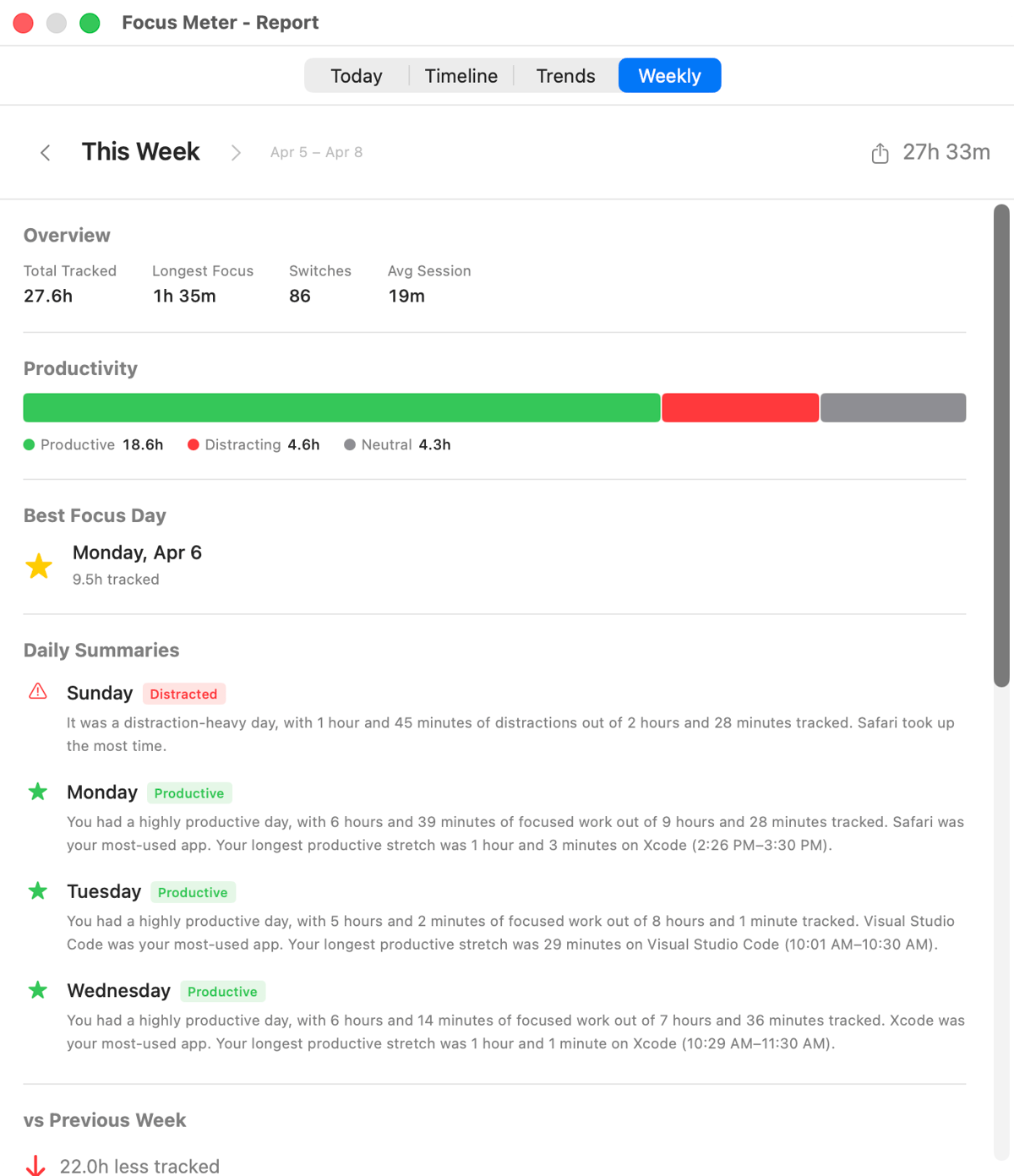
Weekly Report
Your week, wrapped up.
A concise summary of the week: total focused hours, top apps, daily averages, and highlights. Perfect for a Friday retrospective.
Features
Built for focus. Nothing else.
One app. One job. Complete clarity about where your time goes.
Website-Level Tracking
Screen Time says Safari: 4 hours. Focus Meter says docs.google.com: 2 hours, reddit.com: 45 minutes. Chrome and Safari tracked by individual site.
Focus Score
One number, 0 to 100, that tells you how focused your day was. Watch it climb as your habits improve.
Trends & Patterns
Spot your most productive hours. See when in the day you lose focus. Track your improvement over weeks and months.
Smart Idle Detection
Step away from your Mac? Focus Meter pauses automatically. Screen locked, Mac asleep — it knows. Your data stays accurate without any effort.
Your Categories, Your Rules
You decide what’s productive. Classify any app or website as productive, distracting, or neutral to match how you actually work.
Export Everything
CSV or JSON, anytime, with full date-range filtering. Your data is yours — no lock-in, no proprietary formats.
Privacy
Your data never
leaves your Mac.
Focus Meter makes zero network requests. No analytics, no crash reporting, no telemetry. Your browsing history stays on your computer.
100% Local Storage
Everything lives in a local SQLite database on your Mac. No server. No sync. No cloud.
Zero Network Requests
Focus Meter does not connect to the internet. It works fully offline, always.
No Account Required
No sign-up, no email, no login. Install it and it works.
Get Focus Meter.
One price. Yours forever.

Focus Meter for Mac
macOS 13 Ventura or later
One-time purchase

Others charge every year
Two months of any competitor costs more than Focus Meter forever.
FAQ